
Get Started with Your MagicBand+
Step 1

Step 2

Step 3
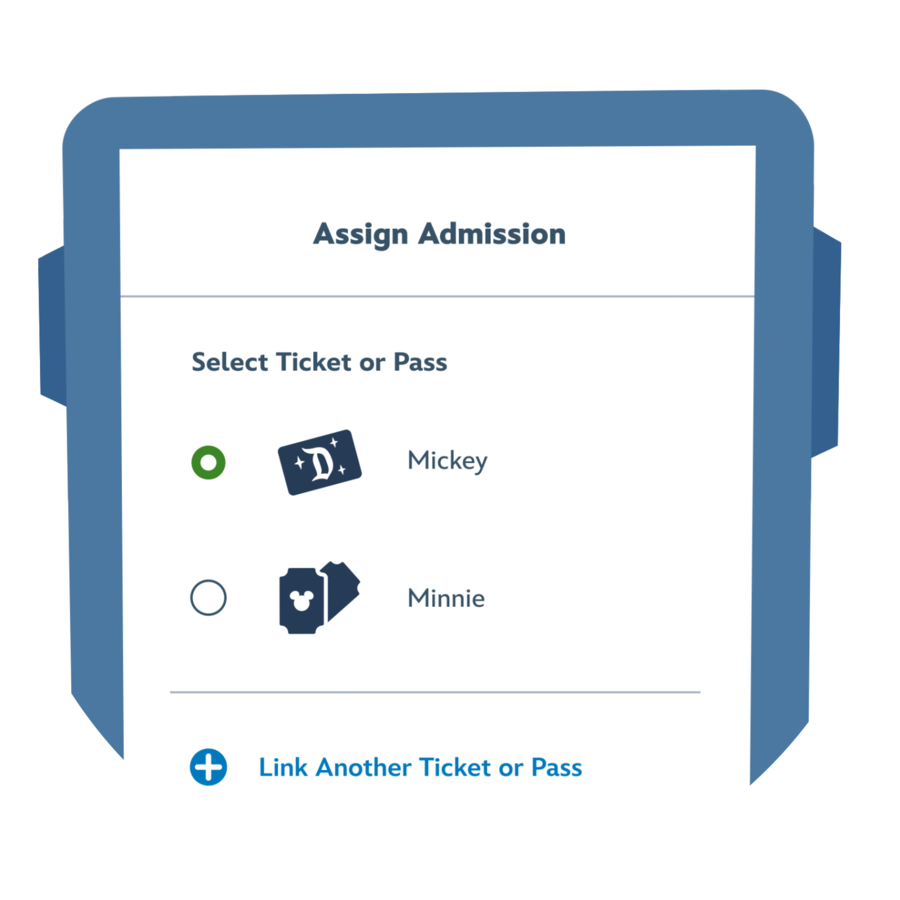
Step 4

Managing Multiple Bands
Manage multiple bands from one Disney account for Guests in your party.
Step 1

Step 2

Step 3

Step 4

Customize Your MagicBand+
Step 1

Step 2

Step 3

Step 4

Make the Most of Your MagicBand+
Using the Disneyland App
You will need the Disneyland app and a Disney account to enjoy the full functionality of your MagicBand+.
MagicBand+ works with select new and unique MagicBand+ experiences even if the MagicBand+ is not linked to a Disney account through the Disneyland app. However, with certain features such as park entry, interactive experiences or checking in at Lightning Lane entrances, the band will not work without linking to a Disney account and having valid park admission and reservation, or Lightning Lane entry, respectively.
Get the Disneyland App >
Using the Play Disney Parks App
Search for bounties and reach the ranks of Boba Fett at Star Wars: Galaxy’s Edge® when you play Star Wars: Batuu Bounty Hunters, available only with MagicBand+.
Get the Play Disney Parks App >
Resources
- <p>Answer</p><p>Yes. MagicBand+ has a rechargeable battery.</p><p style="text-decoration: underline;"><a href="/faq/apps-devices/charging-stations/">Learn More</a></p>
- <p>Answer</p><p>Your MagicBand+ comes with a 6-inch USB charging cable.</p><p style="text-decoration: underline;"><a href="/faq/apps-devices/charging/">Learn More</a></p>
- <p>Answer</p><p>Depending on an individual’s use of the band, the battery can last an estimated 1 to 3 days if it has been fully charged. For optimal usage, it is recommended you charge your MagicBand+ overnight.</p><p style="text-decoration: underline;"><a href="/faq/apps-devices/replace-battery/">Learn More</a></p>
- <p>Answer</p><p>Is the My Disney Experience mobile app (for Walt Disney World Resort) open on your device? If so, you won’t be able to pair your MagicBand+ with your account on the Disneyland mobile app. Make sure the My Disney Experience mobile app is closed. Then, try again. If you’re still having trouble pairing, flag a Cast Member for help.</p>
- <p>Answer</p><p>Yes, your MagicBand+ can be used at both locations. However, please note the following:</p><ul><li>MagicBand+ can only be linked to one Disney account at a time.</li><li>You must use the same Disney account to link the band to the My Disney Experience app for Walt Disney World Resort and the Disneyland app for the Disneyland Resort.</li></ul>

If you’re linking a MagicBand+ to your MyDisney account on behalf of another guest, you hereby confirm you have the necessary consent to do so. A MagicBand+ can be linked to only one MyDisney account at a time and can be assigned only one ticket or pass at a time. A ticket or pass will remain assigned to the band until the ticket or pass expires, has been fully used, or until a new park admission is assigned to the band. Unlinking a band from a MyDisney account will also unlink any admission media assigned to that band.
To enter a theme park, both a valid admission and theme park reservation for the same park and same date are required. Park reservations are limited, subject to availability, and are not guaranteed. Offerings and experiences may be modified, limited in availability or unavailable, and are subject to restrictions and change or cancellation without notice. Park admission and offerings are not guaranteed.
Lightning Lane entry requires the purchase of Lightning Lane Multi Pass or Lightning Lane Single Pass. Lightning Lane passes, attractions and arrival windows included with this service are limited in availability and are not guaranteed, may vary by date, are subject to change or closure, and may not be available at all on the date of visit or at the time of selection or redemption. Guests are responsible for reviewing all attraction restrictions and advisories, including height requirements, health and safety advisories and accessibility guidelines, prior to purchase. Some experiences and attractions may not be appropriate for some Guests with health conditions. Price, terms and entitlements are subject to restrictions, and change or cancellation without notice.
Disney PhotoPass service is subject to the Disney PhotoPass Terms & Conditions and expiration policy. Online registration required.
To use the Play Disney Parks mobile app to enhance the MagicBand+ experience, guests must be logged into the Play Disney Parks app with the MyDisney account linked with their MagicBand+.
Message, data and roaming rates may apply to the use of the Disneyland app and Play Disney Parks app. Availability subject to handset limitations, and features may vary by handset, service provider or otherwise. Coverage and app stores not available everywhere. Music streaming feature requires an Apple Music subscription. Separate terms and conditions apply. If you’re under 18, get your parents’ permission first. Some features require separate theme park admission.
Apple, the Apple logo, iPhone and Apple Music are trademarks of Apple Inc., registered in the U.S. and other countries. Google Play is a trademark of Google LLC.